Time Management
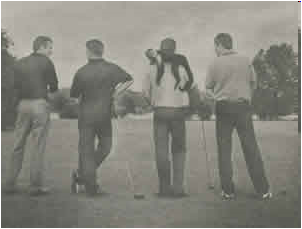 Management Time: Who's Got the Monkey? | Harvard Business Publishing Education
- Management Time: Who's Got the Monkey?
- Monkey
- Rules
for The Care and Feeding of Monkeys
- Rule 1 - Monkeys should be fed or shot. Otherwise, they will starve to death, and the manager will waste valuable time on postmortems or attempted resurrections.
- Rule 2 - The monkey population should be kept below the maximum number the manager has time to feed. Subordinates will find time to work as many monkeys as he or she finds time to feed, but no more. It shouldn’t take more than five to 15 minutes to feed a properly maintained monkey.
- Rule 3 - Monkeys should be fed by appointment only. The manager should not have to hunt down starving monkeys and feed them on a catch-as-catch-can basis.
- Rule 4 - Monkeys should be fed face-to-face or by telephone, but never by mail. (Remember—with mail, the next move will be the manager’s.) Documentation may add to the feeding process, but it cannot take the place of feeding.
- Rule 5 - Every monkey should have an assigned next feeding time and degree of initiative. These may be revised at any time by mutual consent but never allowed to become vague or indefinite. Otherwise, the monkey will either starve to death or wind up on the manager’s back.
-
 |
- Time
- Boss-imposed time
- System-imposed time
- Subordinate-imposed time
- Activities
- Initiative
- waiting to be told
- asking what to do
- making a recommendation, then taking the recommended action
- taking action, but advising others at once
- acting on one's own, then routinely reporting it to others
|
- Management Functions
- Incoming. When you get mail or e-mail or any other type of communication, you should do one of three things. You want to avoid having a lot of urgent "to-do" items that can cause you a lot of stress. FAT
- F = File = put it in your files (file cabinet or archives folder) so that you can access it again sometime if you ever really need it.
- A = Act = do it now = don't wait to think about it = get it over with
- T = Toss = toss it in the garbage
- TRAF= Toss, Refer, Act, File
- R = Refer it (= pass it on to someone else)
- Organization & Productivity
- Paper Tiger Software - Sales videos, but with good hints about how to reorganize your desk and your life. (38 minutes total for all videos)
- Procrastination
- Parkinson's law - Wikipedia
- "work expands so as to fill the time available for its completion" = Parkinson’s original 1955 adage in his book.
- The amount of time that one has to perform a task is the amount of time it will take to complete the task.
- Work contracts to fit in the time we give it.
- The demand upon a resource tends to expand to match the supply of the resource. The reverse is not true.
- DiscoverBusiness.us
- 13 small things to simplify your workday - zen habits
- The smartest people use this simple model and 6 example phrases to say 'no,' says CEO
- To-Do List
- Steve Jobs
- Apple Worldwide Developers Conference in 1997 - "People think focus means saying yes to the thing you've got to focus on. But that's not what it means at all. It means saying no to the hundred other good ideas that there are. You have to pick carefully. I'm actually as proud of the things we haven't done as the things I have done. Innovation is saying no to 1,000 things."
- Warren Buffet
- Really successful people say "no" to almost everything.
- Surprising Things Ultra Productive People Do Every Day
- Accomplishing more by doing less - Business Insider
- Multitasking
- Top Time Management Tips - dummies
- Stop Managing Your Time And Start Owning it | by Thomas Oppong | Thrive Global | Medium
- Time Blocking: Improve Your Focus And Get More Meaningful Work Done - Darius Foroux
- 26 time-management, productivity tricks - Business Insider
- 16 free tools to supercharge your productivity | IT Business
- Laura Vanderkam: Productivity and time-management tips - Business Insider
- Maker vs. Manager: How Your Schedule Can Make or Break You
- Habits
- Meetings
- Top time management techniques from leaders
-
15 Tips for Accomplishing
More in Less Time
By Dawn Foster - May. 6, 2011, 10:03am PT
Gigaom | 15 Tips for Accomplishing More in Less Time
http://gigaom.com/collaboration/15-tips-for-accomplishing-more-in-less-time/
I’m a
huge fan of anything that can make me more productive, so I’m always looking
for ways to accomplish more while not killing myself doing it. It’s easier to
excel if you can do more than your peers while still having time to relax and
recharge.
Here are
my tips for getting more done in less time:
- Stay focused on the
important work. Keep your eye on the work that will have the biggest impact, and make sure
you finish the most important work first. Don’t get caught up in tasks,
even those that seem urgent, if they aren’t really important.
- Learn keyboard shortcuts. The more you can do without
taking your fingers off of the keyboard, the faster you’ll finish your
work, so take the time to learn available keyboard shortcuts for
commonly-used tasks. Email, RSS readers, browsers and any other
frequently-used apps are good places to start. Keyboard shortcuts aren’t
only available in desktop apps; many web apps, such as Google Reader and Gmail, also have keyboard
shortcuts.
- Know whom to ask for help. If you can spend less time
trying to figure things out for yourself, you can get more done. Make
connections with people in your company and your industry you can ask for
help. However, you’ll need to be prepared to help others, too.
- Filter anything you can. If you get really good at
automatically filtering out the noise, you can focus only on what you really
need to see. Set up filters wherever possible: in your email, RSS reader and more.
- Learn to skim. If you get good at skimming
over content without reading every word, you can quickly determine which
items require your attention and which ones can be ignored. This works for
reading social network posts, news and email.
- Touch once. This one is hard for me to
stick with, but when I do it, it really makes a difference. For email or
other communications, look over it and decide what to do with it right
away: archive, respond, create a task item, flag for followup, etc.
Regardless of how you process communications, just make sure you deal with
them once rather than looking at them multiple times.
- Take control of your
calendar. I’m
really proactive about my calendar, and I only attend meetings where there
is some benefit from my attendance. If you want to have time to get any
real work done, you’ll probably need to occasionally decline meetings.
- Become the master of your
email. Don’t let email control you. Finding ways to reduce email overload and proactively deal with
email will allow you to spend less time on email and more time on actual
work.
- Work in chunks and focus. Despite what some might
think, humans are not great at
multitasking. We
work better when we focus on one thing at a time. I do this by breaking my work up into
logical chunks where I can focus on specific tasks.
- Get really good at using
search engines. Learn little tricks for your
favorite search engine. For example, with Google, you could search
for “productivity site:gigaom.com/collaboration” to find all of the
productivity tips posted on this blog. Spending less time looking for
information means that you can get more done.
- Automate routine tasks. For any mundane tasks that
you perform manually over and over, you should find a way to automate them
if at all possible. I write scripts, automatically process email with
rules and filter RSS feeds to automate tasks and spend less time on
things I can have the computer do for me.
- Prune. Have less data to process.
Dump those irrelevant newsletter subscriptions, drop the social network
contacts who don’t have anything interesting to say and prune feeds out of
your RSS reader. Focus on the important information and get rid of the
rest.
- Keep it simple. When faced with any task,
look for ways to keep things simple and avoid spending time on complexity
that doesn’t add much value. Simple document formatting is a good example.
Focus on the content that matters without getting too caught up in having
elaborate formatting that could create more maintenance problems later.
- Get news from podcasts. I pick and choose the news
sources important to me with a combination of mainstream news and news on
niche technology topics, and I listen to that news when I’m doing
household chores, driving, grocery shopping, working out and more. I get
only the news I want, and I listen to it at times I wouldn’t otherwise be
productive, which allows me to keep up with industry news while spending
little time on it.
- Take time to recharge. If you work constantly,
you’ll look like you are busy, but you’ll burn yourself out. If you really
want to be productive, you need to take time to workout, do something fun,
take a vacation, read or do something else relaxing. You’ll find that you
come back to work with new ideas and focused energy to make a real impact.
- Clock / Alarm Clock / Stopwatch / Countdown Timer